3 Bookkeeping Mistakes That Can Cost Your Business Thousands
What if your books look fine, but the story underneath is wrong?
That’s what makes bookkeeping mistakes so expensive. Most of them do not look dramatic. Revenue hits the bank, expenses get categorized, and reports still show up on time. On the surface, everything seems normal. Meanwhile, missing transactions, duplicate entries, or wrong account selections can quietly distort profit, cash, and taxes.
In the video, the key points move from 00:00 Hidden Bookkeeping Errors to 00:55 QuickBooks Is Not Budgeting, 01:37 Reconciliation Zero Trap, 02:45 Missing Payments Off Books, 03:49 Bank Feeds and Duplicates, and 04:51 Recording Big Asset Purchases.
Why bookkeeping mistakes hide in plain sight
The hardest part about bad bookkeeping is simple: they look normal.
A report can still print even when the numbers underneath are wrong. That’s why many small business owners do not spot the problem until something feels off. Maybe profit margins stop making sense. Maybe cash in the bank does not match what the books say. Maybe tax time brings surprises that should not be there.
Accounting software adds to the confusion because it feels so easy to use. Money comes in, pick a category. Money goes out, pick another category. Done. But bookkeeping is not just labeling transactions. Every click affects the accounting records behind the scenes, and those records shape the financial reports owners rely on.
Three mistakes cause a lot of the trouble:
- Reconciliation errors that make the books appear matched to the bank, even when transactions are missing
- Payments received outside the main business account, such as Venmo or a personal account, that never get recorded
- Misunderstanding how QuickBooks works, which leads to duplicates, wrong account postings, and broken reports
If that’s happening, you really can’t trust your financials.
That matters because weak books do not just create messy reports. They can also lead to poor business decisions, missed deductions, and extra cleanup work months later.
The reconciliation zero trap
Why a zero difference can be misleading
Bank reconciliations give business owners a strong sense of closure. The screen shows zero, so it feels like the work is done. Unfortunately, that number can create false confidence.
A zero difference does not always mean every bank transaction made it into the books. Sometimes transactions were skipped. In other cases, a few items were not selected during the reconciliation. The software still gets to zero, but the reconciliation itself is not complete.
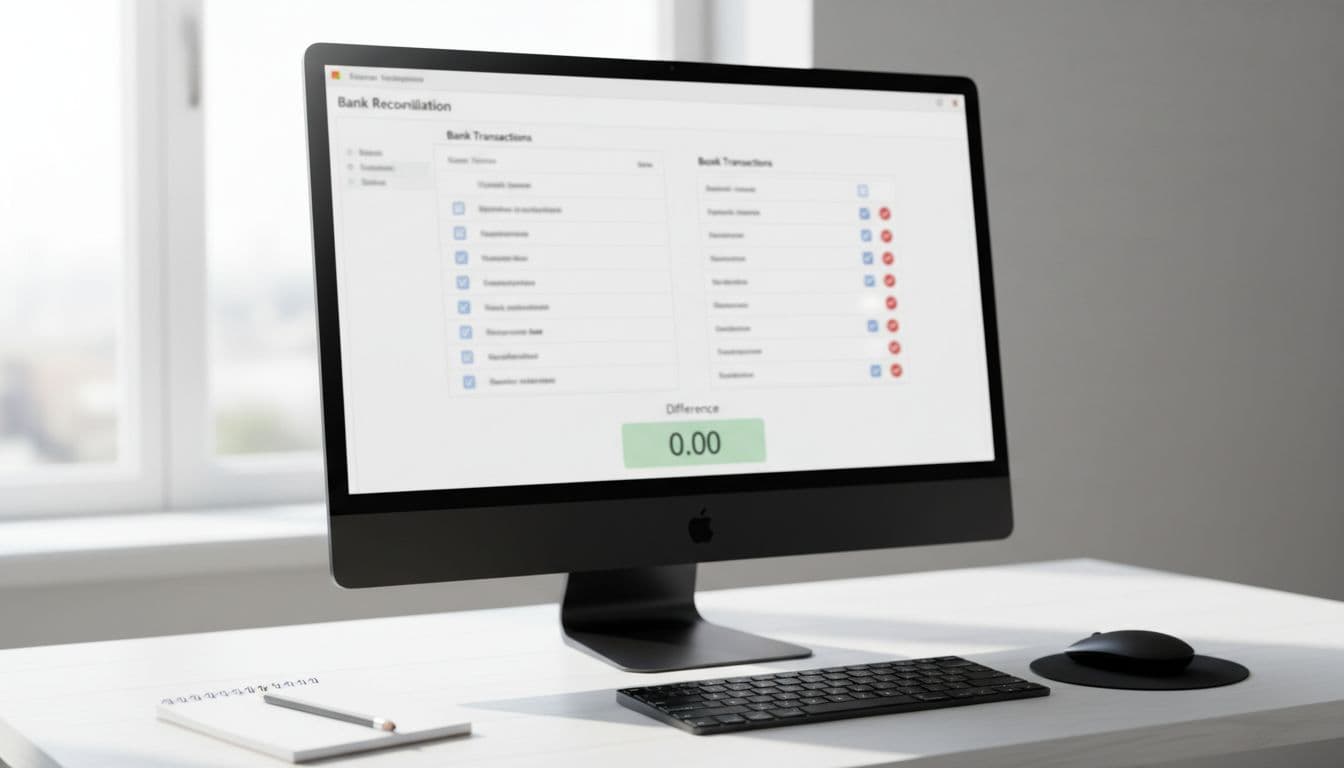
This is where the trap lives. A business owner may open the reconciliation screen, clear some items, hit zero, and move on. Yet a few bank statement transactions might still be missing from the accounting records.
A reconciliation isn’t finished just because the screen shows zero.
A reconciliation isn’t finished just because the screen shows zero.
It’s finished when every transaction from the bank statement has been properly accounted for in the books. That small difference in thinking changes everything.
What happens when transactions get missed
At first, the damage is hard to see. Reports still run. The bank account in QuickBooks might look close enough. Nothing seems urgent.
Over time, though, missed transactions build a gap between the real bank account and the accounting records. Then the books stop reflecting reality. A deposit may be missing. A payment may never have been entered. A cleared check may sit outside the reconciliation history.
As a result, the numbers drift farther apart month after month. By the time someone notices, the original mistake may be buried under hundreds of newer transactions.
That creates two big problems:
- The bank balance on the books no longer matches the real account.
- Cleanup becomes much harder because the issue may be months old.
When owners say, “My numbers just stopped making sense,” this is often one of the first places to check. The reports were not broken in one dramatic moment. They slowly moved away from the truth.
It’s finished when every transaction from the bank statement is properly accounted for in the books.
A clean reconciliation is not about getting the software to cooperate. It is about tying the books back to the real-world bank activity, line by line.
Revenue can disappear when payments land outside the business account
Why off-book payments still count
Another common problem starts with a sentence that sounds harmless: “Some clients pay me through Venmo,” or “That customer sent the money to my personal account.”
From a cash standpoint, the business owner still got paid. From a bookkeeping standpoint, that payment may be invisible if it never gets entered into the accounting system.

That means the profit and loss statement is incomplete. Revenue is missing, even though the work happened and the money was received. On paper, the business may look smaller or less profitable than it really is.
The business might have earned more than the reports show.
This is one of the easiest ways for financials to tell only half the story. The owner knows the work was done. The bank or payment app proves the money came in. But if the books never capture it, the reports cannot reflect it.
How missing revenue affects reports and taxes
Missing revenue creates trouble in two directions.
First, it weakens the reports. If income is left out, then gross profit, net profit, and trend analysis all become less useful. A business owner might think margins are falling when the real problem is simple: some sales never made it into the books.
Second, it can create tax problems later. Income is still income, no matter where it landed first. A payment received through Venmo or a personal account does not stop being business revenue just because it skipped the main checking account.
Income does not disappear because it landed in the wrong place first.
Income does not disappear because it landed in the wrong place first.
That is why these payments still need to be recorded properly in the business books. Otherwise, financial reports show only part of the picture.
This issue often starts small. A side payment here, a quick transfer there, one client paying in a personal app because it was easy. Still, small shortcuts add up fast when they happen all year.
QuickBooks is not just a transaction labeler
What double-entry means in plain English
Many business owners treat QuickBooks like a budgeting app. Money comes in, call it income. Money goes out, tag it as rent, supplies, or meals. It feels simple because that is what the screen shows.
It’s really not.
Behind every transaction is an accounting entry, and that entry affects two accounts. That system is called double-entry accounting. It is the reason financial statements work, but it is also the reason mistakes can spread when entries are handled the wrong way.

For example, if a business records a $50 meal expense paid with a debit card, QuickBooks is not just tagging that purchase as “Meals.” It is doing two things in the background: increasing meal expense and decreasing cash.
Here is the basic idea:
| Transaction | Account Increasing | Account Decreasing |
|---|---|---|
| $50 meal expense paid by debit card | Meals expense | Cash |
That is why reports depend on more than categories. Each transaction changes the balance sheet, the profit and loss statement, or both. When those entries are wrong, the reports stop lining up with reality.
Where duplicates and wrong account entries come from
Once the double-entry piece is out of view, common mistakes start to make more sense.
A transaction might be entered by hand and then imported again through the bank feed. A credit card charge may get posted to the checking account by mistake. A payment could be matched to the wrong bank account. On the screen, those errors may look minor. In the books, they can cause real damage.
Some of the most common problems include:
- Transactions entered manually and then also imported through the bank feed
- Credit cards mixed up with bank accounts
- The wrong account selected when recording income or expenses
Because of that, business owners often reach a point where the reports feel confusing for no clear reason. Cash looks off. Expenses seem too high. Income seems too low. A balance sheet account never clears. The software is still producing reports, but those reports no longer tell a clean story.
That confusion usually does not come from one huge bookkeeping failure. More often, it comes from small accounting entries stacking up in the wrong places.
Big purchases are often recorded the wrong way
Why vehicles and equipment still need proper bookkeeping
Large purchases often get overlooked because they do not feel like normal expenses. A business buys a vehicle, finances a piece of equipment, or takes out a loan for machinery. Since no simple day-to-day category seems to fit, the transaction may get skipped or recorded the wrong way.
From an accounting view, two things happen when that purchase is made. The business receives an asset, and it either uses cash or takes on debt to pay for it.
If that asset never gets recorded properly, the financial statements miss a major part of the picture.
First, the balance sheet understates what the business owns. The company may have a vehicle or equipment in use every day, but the books do not show it.
Second, tax deductions can get missed. Assets such as vehicles and equipment are often depreciated over time, so failing to record them correctly can affect tax reporting too.
This matters even when the purchase was financed. A loan does not replace the accounting entry. The asset still belongs on the books, and the related loan or cash payment still needs to be shown properly.
In other words, big purchases are not bookkeeping side notes. They change what the business owns, what it owes, and how the financial statements should look.
Clean books make better decisions possible
Most bookkeeping mistakes do not happen because business owners are careless. They happen because accounting software hides what is going on underneath the surface.
That is why the warning signs can feel so frustrating. Margins do not make sense. Cash does not line up. Reports seem confusing, even though the business is busy and money is moving.
Once the bookkeeping gets cleaned up, the story usually becomes much clearer. Missing revenue shows up. Duplicate expenses get removed. Reconciliations actually tie to the bank. Assets and loans land where they belong. Then the reports start reflecting the business as it really is, not as a few flawed entries made it appear.
For owners dealing with messy books, small-business bookkeeping cleanup and monthly reporting from Smoky Mountain CPAs can help turn scattered numbers into reports that are easier to trust. If the file is months behind, start with our QuickBooks cleanup services.
The bottom line is simple: clear books lead to clear decisions. When the numbers are right, it becomes much easier to see profit, understand cash flow, and stop leaving thousands on the table.